

If there’s one thing I love more than hand-drawing whimsical animals, it’s turning them into free SVG files you can actually use. Today’s freebie is pure cozy chaos and I’m obsessed.
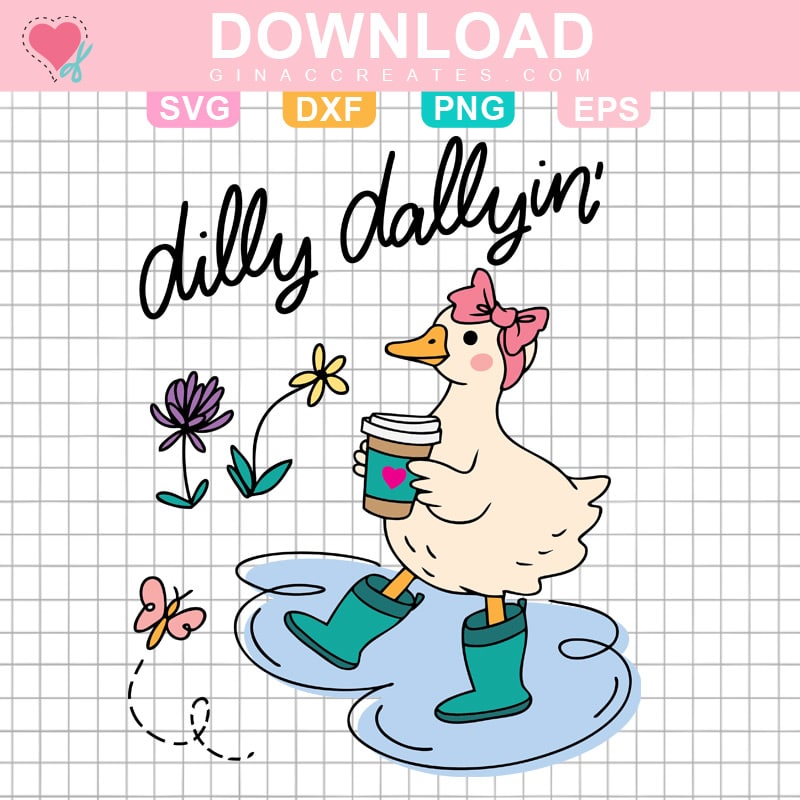
Meet my Dilly Dallying Goose SVG: a hand-drawn illustration of a sweet little goose wearing rainboots, happily splashing in a puddle with not a care in the world. This design is playful, lighthearted, and perfect for anyone who embraces a slower, sillier pace of life.
Whether you’re crafting for spring, making something cute for a kiddo, or just love quirky animal designs, this free SVG is ready to waddle into your next project.
This little goose is made for splashing into all kinds of creative projects, including:
If you’re always on the lookout for free SVG files for Cricut, this design fits right into a cute, cozy crafting style that works year-round.
If you love collecting designs like this, you might also enjoy browsing my full collection of free SVG files on the blog. That page is updated often and packed with popular downloads my readers love.

If you are new to iron-on vinyl (HTV), I have this beginner step-by-step tutorial on How to use Iron-on Vinyl with Cricut. Create a professional looking shirt with household items!
Here are some basic step for using free SVG with Cricut Design Space.

Please share this post to Pinterest, by using the images below, to help other crafters like you find my Free SVG Files and DIY Crafts!







One Response
Hi Gina, Thanks for the cute file. When I bring it into DS, the bottom part, boots, legs, etc are out of alignment with the design. How can I fix this, please?
Thank you.